

Enriching your data with a Tool
There are two ways to start an enrichment on a Knowledge table.From the Knowledge table
- Navigate to Knowledge and open the table you want to enrich.
- Click the Enrich button in the table toolbar.
- Select a Tool from the library.
From the Tool’s Use tab
On the Use tab of any Tool, select the Run in bulk tab.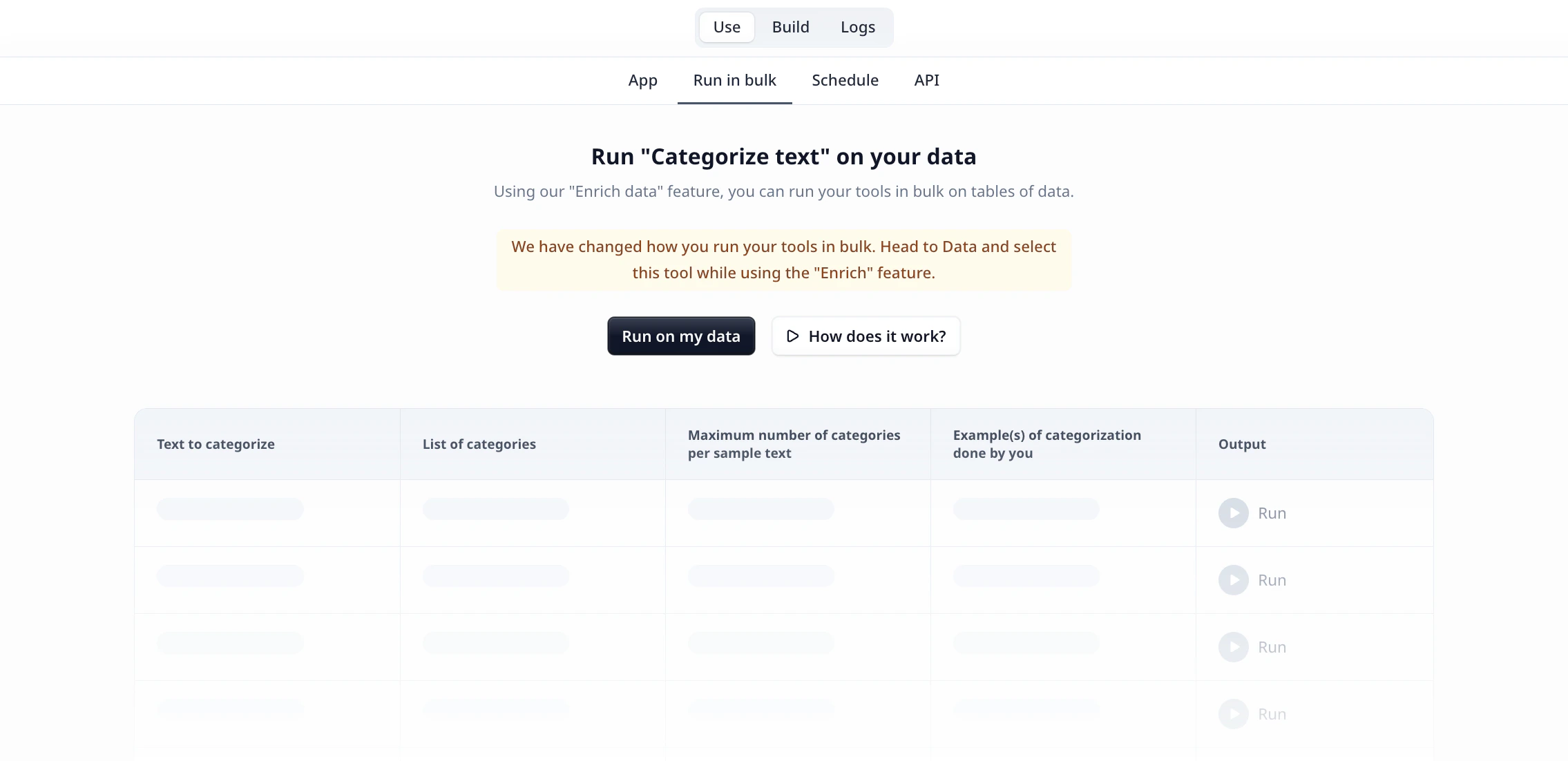
Configuring the enrichment
Once you’ve selected a Tool, configure how it should run on your data. The modal shows Map tool inputs to columns with a dropdown for each input.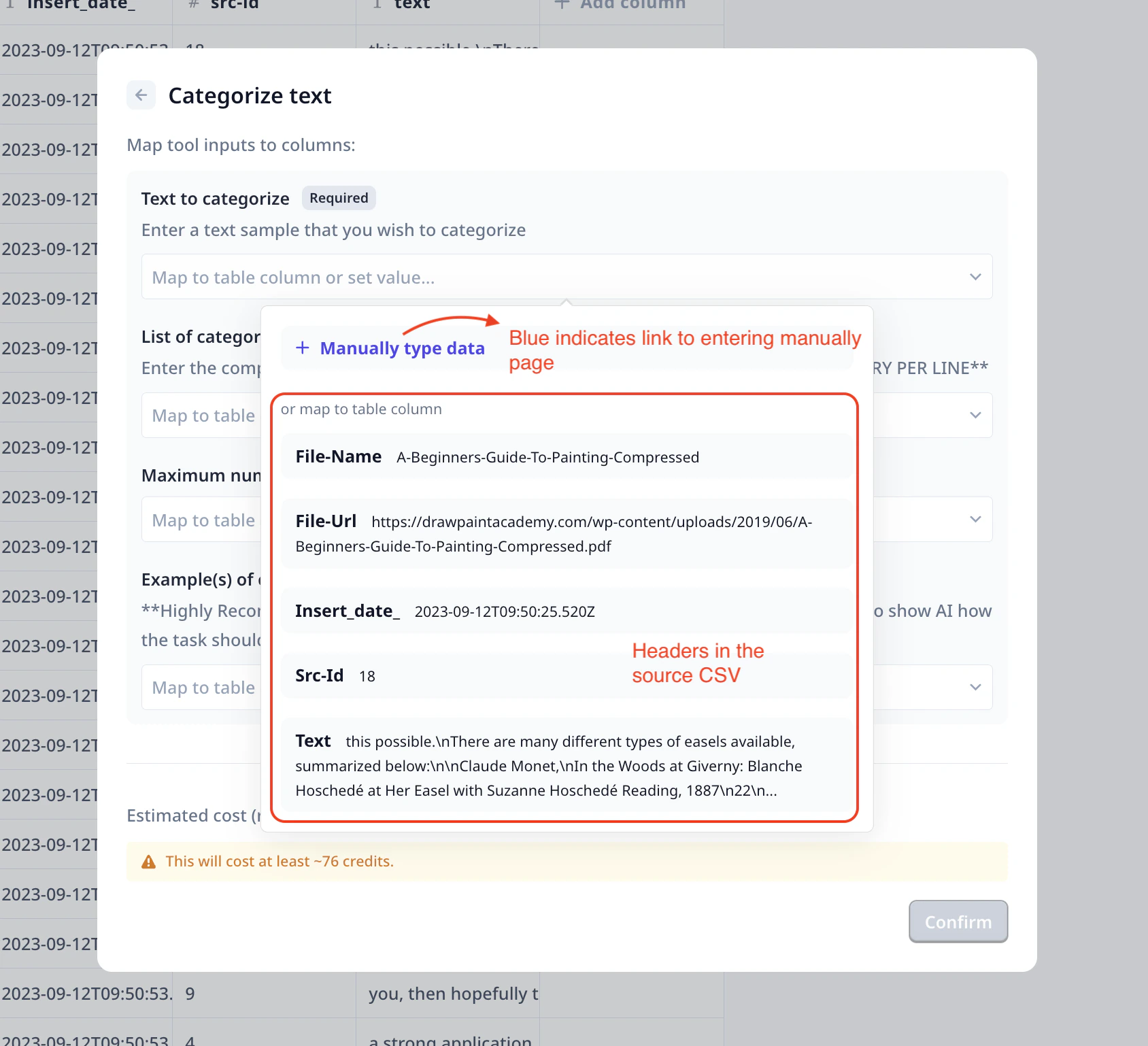
- Map to table column — click the dropdown to see your table’s column headers and select the one to use. The value from that column will be used for each row.
- Manually type data — click + Manually type data to switch to manual entry and use the same fixed value for every row.
Running the enrichment
After confirming, a new column is added to your Knowledge table showing the Tool name. From there you can choose to run on individual rows or across the entire dataset.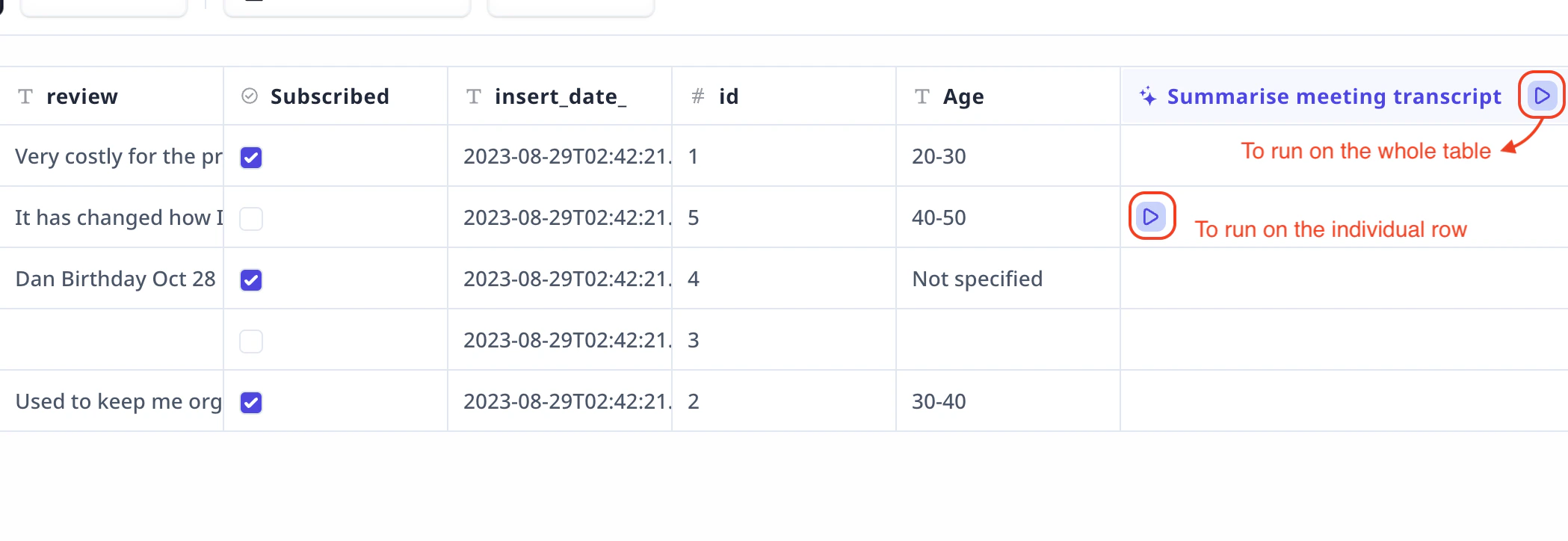
- The play button in the column header runs the Tool across the whole table.
- The play button on each row runs the Tool on that individual row.
Frequently asked questions (FAQs)
Can I use a Tool I built myself, or only Tools from the library?
Can I use a Tool I built myself, or only Tools from the library?
You can use any Tool — including ones you’ve built yourself. The library shows all Tools available in your project alongside marketplace Tools.
How do I know what a bulk run will cost before I commit?
How do I know what a bulk run will cost before I commit?
The configuration modal shows an estimated credit cost before you click Confirm. Use the single-row run to get a more precise sense of cost per row before scaling up.
Can I have more than one enrichment column on the same table?
Can I have more than one enrichment column on the same table?
Yes. Each enrichment is independent — click Enrich again to set up another Tool on the same table. Each creates its own column.
What happens to rows I add to the table after the enrichment is set up?
What happens to rows I add to the table after the enrichment is set up?
New rows are not automatically enriched. You’ll need to run the Tool on them manually using the play button on each row, or trigger another bulk run.
Can I run the enrichment on a specific subset of rows?
Can I run the enrichment on a specific subset of rows?
Not as a selection — but you can run the play button on any individual row without affecting others. For targeted bulk runs on a subset, consider filtering your data into a separate table first.